AZAG Punjab Balloting Result 2025 Complete Guide to Check Your Name Through CNIC

AZAG Punjab Balloting Result 2025
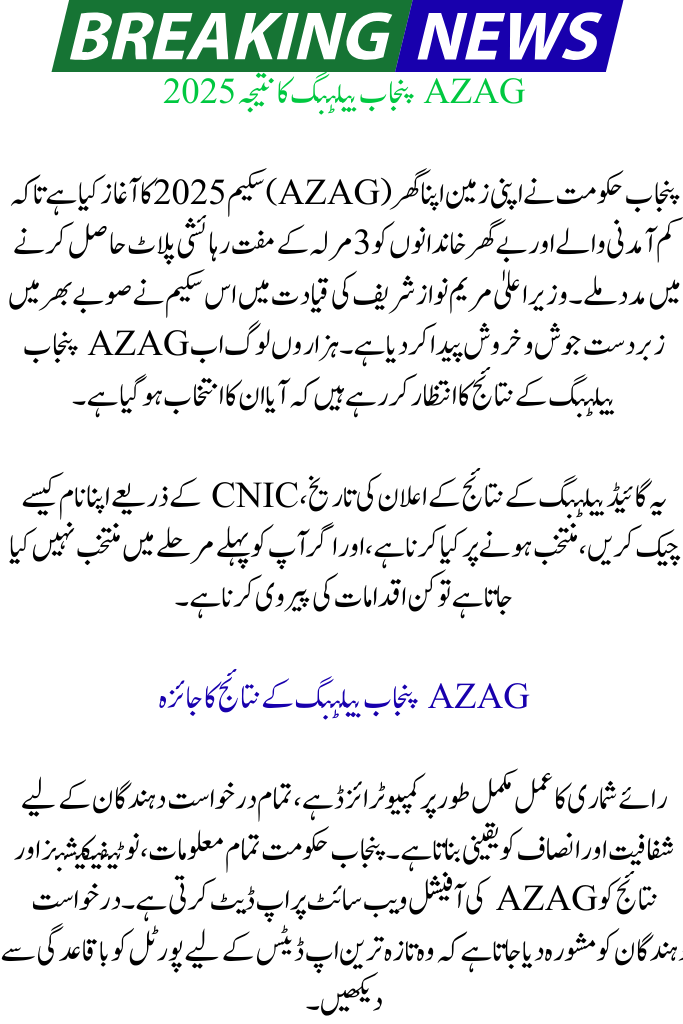
The Punjab government has launched the Apni Zameen Apna Ghar (AZAG) Scheme 2025 to help low-income and homeless families get free 3-marla residential plots. Under the leadership of Chief Minister Maryam Nawaz Sharif, this scheme has created huge excitement across the province. Thousands of people are now waiting for the AZAG Punjab Balloting Result to see if they have been selected.
This guide explains the balloting result announcement date, how to check your name through CNIC, what to do if selected, and what steps to follow if you are not selected in the first phase.
You can also read: BISP Free SIM Distribution Begins: Complete Guide, Schedule, and Eligibility 2025
Overview of AZAG Punjab Balloting Result
The balloting process is fully computerized, ensuring transparency and fairness for all applicants. The Punjab government updates all information, notifications, and results on the official AZAG website. Applicants are advised to check the portal regularly for the latest updates.
Key Details of the AZAG Scheme
| Feature | Information |
|---|---|
| Scheme Name | Apni Zameen Apna Ghar (AZAG) |
| Plot Size | Free 3-Marla Residential Plot |
| Balloting Type | Computerized & Transparent |
| Official Website | azag.punjab.gov.pk |
| Helpline | 0800-09100 (Toll-Free) |
Understanding the Balloting Process in AZAG Scheme
Balloting is the computerized draw used to select applicants who will receive free plots. Since the number of applications is higher than the number of available plots, the government uses an automated system to ensure fairness. The draw is conducted district-wise, and results are uploaded on the official portal.
The system ensures there is no chance of favoritism, and every eligible applicant has an equal opportunity. If your district’s phase is announced, you can check your result online within seconds by entering your CNIC.
You can also read: BISP Free SIM Distribution Begins: Complete Guide for Beneficiaries 2025
How to Check AZAG Punjab Balloting Result Online (Step-by-Step)
Once the government announces the result, applicants can easily check their status online using their CNIC number. The official portal has a simple interface that works on mobile and computer.
Steps to Check Your Balloting Result
- Visit the official website: azag.punjab.gov.pk
- Click on “Check Balloting Result” on the homepage
- Enter your 13-digit CNIC number (without dashes)
- Click the Submit button
- Your result will appear instantly
- If selected: you will see a congratulatory message
- If not selected: it will show “Not Selected in this Phase.”
This process takes only a few minutes and can be done anytime after the result is announced.
You can also read: 8171 CNIC Check 2025: Easy Guide to Verify BISP 13,500 Payment Online
What to Do If Your Name Appears in the Balloting Result?
Being selected in the balloting is great news, but it is only the first step. You must complete official verification to receive your allotted plot.
Important Steps After Selection
- Wait for the official SMS from the AZAG office
- Log into your online portal for further instructions
- Prepare all necessary documents including CNIC and affidavits
- Visit the assigned office for document verification
- Keep checking your appointment status through your dashboard
Completing these steps quickly will help you move forward without delays.
You can also read: BISP Payment Missing in Wallet While Checking Through 8171 Portal Complete Guide 2025
What to Do If You Are Not Selected in the First Phase?
If your name does not appear in the balloting result, don’t worry. Your application is still valid for future phases, and you do not need to apply again.
Steps for Non-Selected Applicants
- Do not reapply—your existing application remains in the system
- Ensure your documents are valid and updated
- Log in regularly to your portal dashboard for new notifications
- Keep your contact details correct for SMS alerts
The government will conduct more balloting rounds, so you still have a chance.
How to Apply for the AZAG Scheme if You Haven’t Registered Yet
If you have not applied yet, the registration process is completely free and can be done online. The government urges applicants to apply only through the official website.
To apply:
- Visit azag.punjab.gov.pk
- Click “Apply Now.”
- Enter your CNIC
- Fill out the form carefully
- Upload clear scanned documents
- Submit and save your application number
After submission, you can track your progress through the portal.
You can also read: 3 Marla Housing Scheme 2025: Free Rs. 18–25 Lakh Plot
Useful Tips for AZAG Applicants
- Always use your own original CNIC
- Upload clear and readable documents
- Avoid using middlemen or agents
- Keep checking your portal dashboard regularly
- Make sure all entered information is correct and updated
Common Mistakes to Avoid
- Entering CNIC with dashes or incorrect numbers
- Submitting incomplete forms
- Ignoring SMS alerts from the AZAG office
- Forgetting to check your portal for appointment details
Conclusion
The AZAG Scheme 2025 is a major step toward helping low-income families achieve home ownership. With a transparent computerized balloting system, the government ensures fairness and equal opportunity for all. Whether you have been selected or are waiting for the next phase, staying updated through the official portal and following all instructions will improve your chances of successful plot allotment.
You can also read: 3 Marla Housing Scheme 2025: Free Rs. 18–25 Lakh Plot
FAQs
1. When will the AZAG balloting result be announced?
The results are announced in multiple phases. Always check the official website for updated schedules.
2. Do I need to reapply if I’m not selected?
No. Your application stays active for all upcoming balloting rounds.
3. Can I edit my application after submitting it?
No, the form cannot be changed after submission, so double-check your information before applying.